



















Introduction
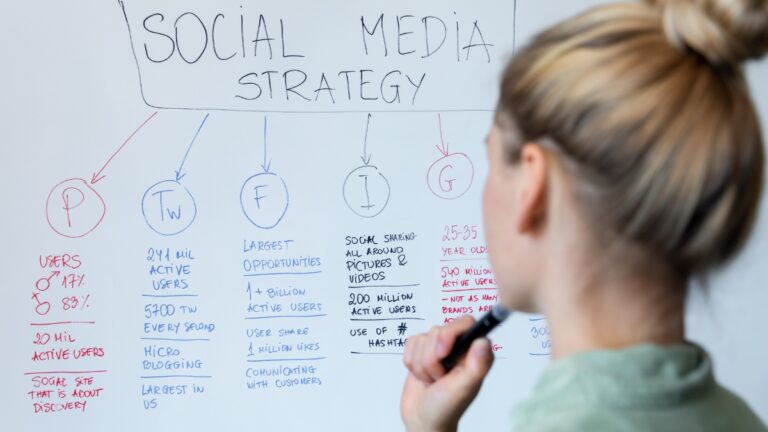
In today’s digital age, social media is an indispensable tool for businesses, influencers, and anyone looking to connect with an audience. However, the sheer volume of content required to maintain an active presence on various platforms can be overwhelming. This is where a social media calendar becomes invaluable. A well-structured calendar not only streamlines content creation but also ensures that your social media efforts are strategic, consistent, and aligned with your business goals. In this comprehensive guide, we’ll delve into the steps to create an effective social media calendar and provide tips for maximizing its impact.
1. Understanding the Importance of a Social Media Calendar

Before diving into the creation process, it’s crucial to understand why a social media calendar is essential:
- Consistency: Regular posting helps maintain engagement with your audience. A calendar ensures you post consistently, avoiding periods of inactivity.
- Efficiency: Planning content in advance saves time, reduces stress, and allows you to focus on other aspects of your business.
- Strategy Alignment: A calendar helps align your social media efforts with broader business goals, ensuring your content supports your overall marketing strategy.
- Content Variety: Planning ahead allows you to mix up content types (e.g., blog posts, videos, infographics) and keep your audience engaged.
- Performance Tracking: A calendar allows you to track what works and what doesn’t, enabling continuous improvement in your social media strategy.
2. Setting Clear Goals for Your Social Media Calendar

Before you start filling in dates, it’s vital to establish clear goals for your social media efforts. Your goals should be SMART (Specific, Measurable, Achievable, Relevant, and Time-bound). Some common social media goals include:
- Increasing brand awareness: This could be measured by follower growth or reach.
- Driving traffic to your website: Trackable through link clicks and referral traffic.
- Boosting engagement: Focus on likes, shares, comments, and direct messages.
- Generating leads or sales: Measurable through conversions from social media posts.
- Building a community: Foster interaction and create a loyal following.
Once you’ve defined your goals, align your content to support these objectives. For example, if your goal is to drive website traffic, your calendar should include posts that promote blog articles, product pages, or landing pages with strong calls to action.
3. Conducting a Content Audit

Before creating new content, it’s wise to evaluate what you’ve already produced. A content audit involves reviewing your existing social media posts to identify what has worked well and what hasn’t. Key metrics to analyze include:
- Engagement Rates: Which posts received the most likes, shares, and comments?
- Traffic Sources: Which posts drove the most traffic to your website?
- Conversion Rates: Which posts led to the highest number of conversions?
This audit will help you identify successful content themes, formats, and topics, which you can then incorporate into your new calendar. Additionally, it can highlight gaps in your content that need to be addressed.
4. Choosing the Right Platforms

Not all social media platforms will be suitable for your business or goals. Each platform has a different audience and best practices, so it’s important to choose the ones that align with your objectives. Here’s a quick overview of popular platforms:
- Facebook: Ideal for community building and sharing a mix of content, including text, images, and videos.
- Instagram: Best for visual content and storytelling, with a strong focus on photos and short videos.
- Twitter: Great for real-time updates, news, and engaging in conversations with your audience.
- LinkedIn: The go-to platform for B2B marketing, professional networking, and thought leadership content.
- Pinterest: A visual platform ideal for industries like fashion, home decor, and food, where images drive engagement.
- YouTube: The leading platform for video content, from tutorials to product reviews.
Decide which platforms will be the focus of your social media calendar based on where your audience is most active and where you can best achieve your goals.
5. Content Planning and Ideation

With your goals set and platforms chosen, it’s time to brainstorm content ideas. Your content should be a mix of the following types:
- Evergreen Content: Timeless content that remains relevant over time, such as how-to guides or industry tips.
- Seasonal Content: Content tied to specific events or seasons, such as holidays, back-to-school season, or industry-specific events.
- Promotional Content: Posts that promote your products, services, or events.
- Engagement Content: Content designed to prompt interaction, such as polls, questions, or user-generated content.
- Curated Content: Sharing content from other sources that are relevant to your audience, such as industry news or insightful articles.
A helpful approach is to categorize content by themes or pillars that align with your goals. For example, a fitness brand might have pillars like “Workout Tips,” “Nutrition Advice,” “Product Spotlights,” and “Customer Success Stories.”
6. Building Your Social Media Calendar

Now that you have your content ideas, it’s time to structure them into a calendar. Follow these steps to create a well-organized and effective social media calendar:
a. Choose a Calendar Format
You can create a social media calendar in various formats, including:
- Spreadsheets: A simple and customizable option using tools like Google Sheets or Excel.
- Dedicated Tools: Platforms like Hootsuite, Buffer, or CoSchedule offer built-in calendar features with additional scheduling and analytics capabilities.
- Project Management Tools: Tools like Trello, Asana, or Monday.com can be adapted for social media planning, offering features like task assignments and progress tracking.
Choose a format that best suits your needs and team workflow.
b. Determine Posting Frequency
Decide how often you’ll post on each platform. This will vary depending on the platform and your resources. For example:
- Facebook: 1-2 posts per day
- Instagram: 1 post per day + Stories
- Twitter: 3-5 tweets per day
- LinkedIn: 1 post per day
- Pinterest: 3-5 pins per day
- YouTube: 1 video per week
Consistency is key, so choose a frequency that you can realistically maintain.
c. Assign Dates and Times
Based on your posting frequency, assign specific dates and times for each piece of content. Consider your audience’s time zones and when they are most active. You can use analytics tools provided by the platforms to determine the best times to post.
d. Include Key Dates and Events
Incorporate key dates relevant to your industry or audience, such as holidays, product launches, or important anniversaries. Plan content around these events to capitalize on their relevance.
e. Visualize Content Themes
Color-coding your calendar by content type or theme can help you visualize the balance of content and ensure variety. For example, use one color for promotional content, another for engagement posts, and so on.
f. Prepare for Flexibility
While planning is important, so is flexibility. Leave room in your calendar for spontaneous posts, trending topics, or last-minute changes.
7. Content Creation and Curation
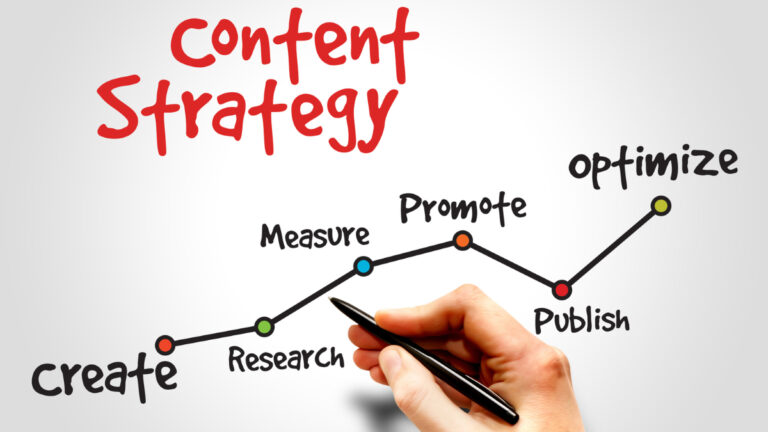
With your calendar in place, the next step is content creation and curation. Here are some tips:
Batch Create Content: To save time, create multiple pieces of content in one sitting. For example, shoot several videos or write multiple blog posts in one session.
Use Design Tools: Tools like Canva or Adobe Spark can help you create visually appealing graphics without needing professional design skills.
Leverage User-Generated Content: Encourage your audience to create content related to your brand and share it on your platforms. This not only saves you time but also builds community.
Curate Content: Regularly share relevant content from other sources. This positions your brand as a valuable resource and keeps your feed active.
8. Scheduling and Automation
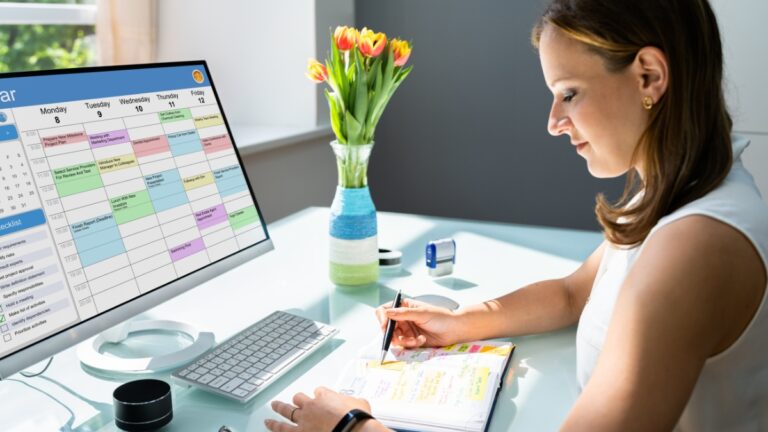
Once your content is ready, use scheduling tools to automate your posting. Tools like Hootsuite, Buffer, or Later allow you to schedule posts in advance, ensuring your calendar is followed even when you’re busy. Automation frees up time for engagement and other strategic tasks.
However, automation doesn’t mean “set it and forget it.” Regularly review your scheduled posts to ensure they remain relevant, especially in fast-changing environments.
9. Engagement and Community Management
Social media isn’t just about broadcasting messages; it’s about engaging with your audience. Dedicate time each day to respond to comments, messages, and mentions. Actively participate in conversations, share user-generated content, and foster a sense of community. This engagement can lead to deeper connections with your audience and increased brand loyalty.
10. Analyzing and Optimizing Your Calendar
Finally, regularly review the performance of your social media calendar. Use analytics tools provided by platforms or third-party tools to track key metrics such as engagement, reach, click-through rates, and conversions. Analyze which content types, times, and platforms perform best and adjust your calendar accordingly.
Consider running A/B tests on different types of content or posting times to optimize your strategy further. The goal is to continuously improve your social media efforts based on data-driven insights.
11. Staying Updated with Trends and Best Practices

Social media is constantly evolving, with new trends, features, and best practices emerging regularly. Stay updated by following industry blogs, attending webinars, and participating in online communities. Incorporate new trends into your social media calendar when relevant, but always ensure they align with your brand and goals.
Conclusion

Creating an effective social media calendar is a strategic process that requires planning, creativity, and ongoing optimization. By setting clear goals, choosing the right platforms, and planning diverse content, you can maintain a consistent and engaging social media presence. Regularly reviewing and optimizing your calendar ensures that your social media efforts remain aligned with your business objectives and continue to deliver results. With a well-crafted social media calendar, you can navigate the complexities of social media with confidence, knowing that your content is purposeful, timely, and impactful.
